Web development
B2B platform, client portal & back office — PAK Formations
The platform of PAK Formations (PAKS group): a public site presenting the training and services catalogue, a client portal where companies request and follow their quotes, and a full back office — proformas, payments, client files, attestations, reports and site content — backed by a FastAPI API.
- Client
- PAK Formations - groupe PAKS
- Year
- 2026
- Category
- Web development
Plateforme B2B | Espace client | Back-office | Devis & proformas | Rapports | Next.js + FastAPI

- screens: public site, client portal, back office
- 70
- FastAPI routes behind the interface
- 239
- divisions: Training, Travel, Maintenance
- 3
- roles: visitor, client, agent, super admin
- 4
Personas
A company's training manager
Request a quote, get it approved and follow her sessions without endless back-and-forth.
She builds her request from the catalogue (participants, venue, catering), receives the proforma in her portal, accepts it, uploads the payment proof and later finds each participant's attestation. Her dashboard gives her one line of figures per division and the latest announcements.
The PAKS sales agent
Handle each request end to end, on the divisions assigned to him.
He writes the proforma line by line, records the client's agreement, marks the service delivered with its days and trainer, then generates the attestations. His rights are limited to his divisions and to the actions the super admin has opened to him.
Management
Know what was agreed, collected and spent, by division, category and service.
It reads the activity reports and the payment ledger rather than rebuilding figures in Excel at month-end, and keeps control of the team, permissions and audit log.
The business need
PAKS brings together several businesses — professional training, business travel, maintenance — that each ran on their own channels: phone, email, WhatsApp, Excel files. A quote went from hand to hand with no history, payments were tracked separately, and end-of-course attestations were prepared by hand for every participant. Clients had no overview of their requests; PAKS had no reliable figures on what had been sold, collected or was still owed, per division or per client.
Diagnosis & research
A map of the real statuses a request goes through (to handle, proforma sent, quote approved, service delivered, paid), user stories and a permission matrix for the four roles, then an API contract shared by the frontend and the FastAPI backend. PAKS's real documents — the attestation Excel model, the legal mentions on proformas — served as the reference so the platform produces the same paperwork as before, without retyping.
The approach
A fast, well-indexed public site (catalogue by category, one page per course, FAQ, call-back request without an account, an llms.txt file for AI assistants). A client portal: quote requests through a form specific to each service, tracking, payments, attestations, helpdesk and notifications. A back office in four sections: requests and proformas, clients and reports, site and communication, administration — with global search, Excel and PDF exports, per-division budgets and an audit log.
Measurable result
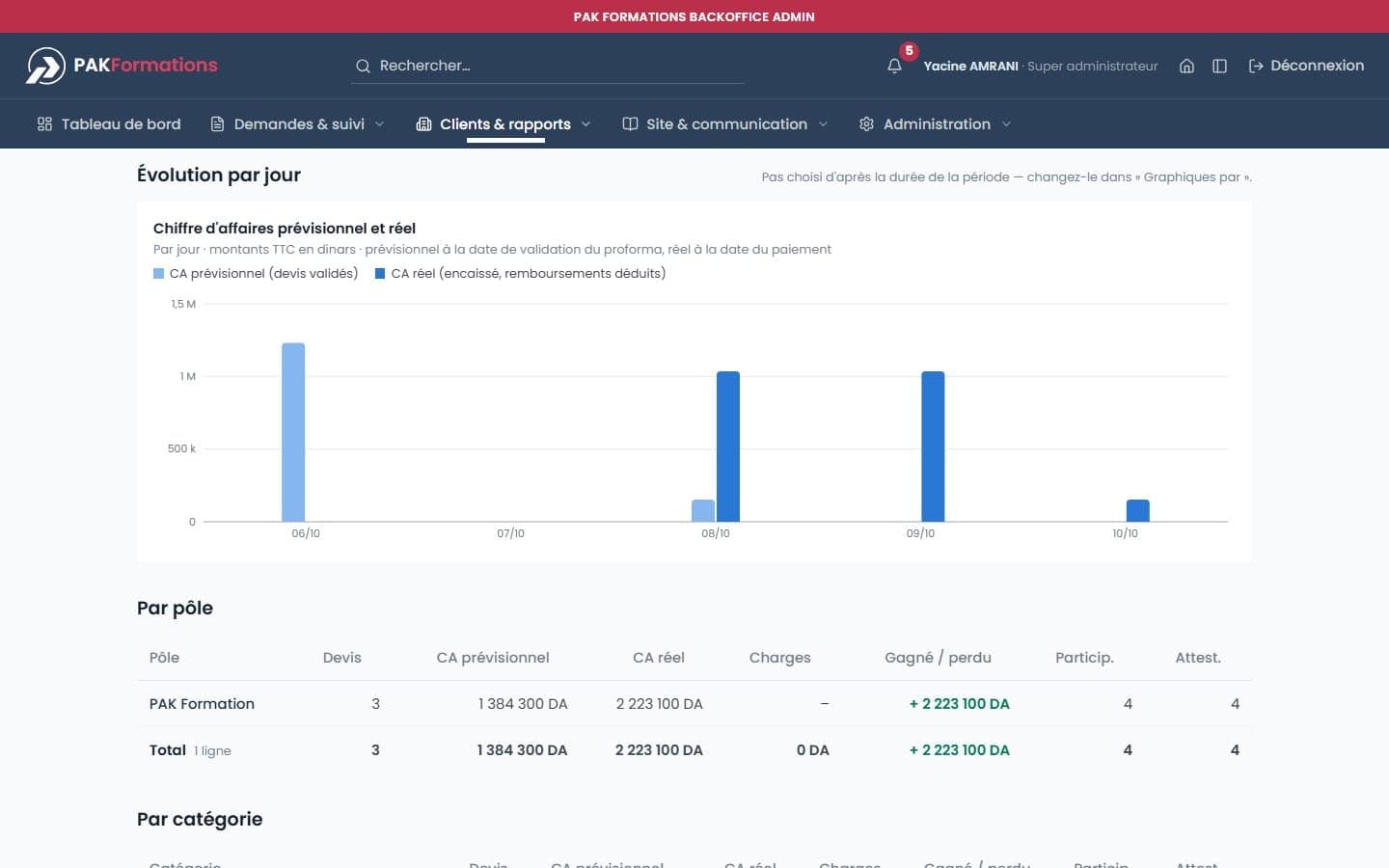
A request now follows a single thread, from submission to attestation: proforma, client agreement, payment, delivered service and documents hang off the same record, visible to the client and the team alike. Management reads forecast and actual revenue, charges and margin by division, category and service, with their trend over time — no Excel sheet to rebuild.
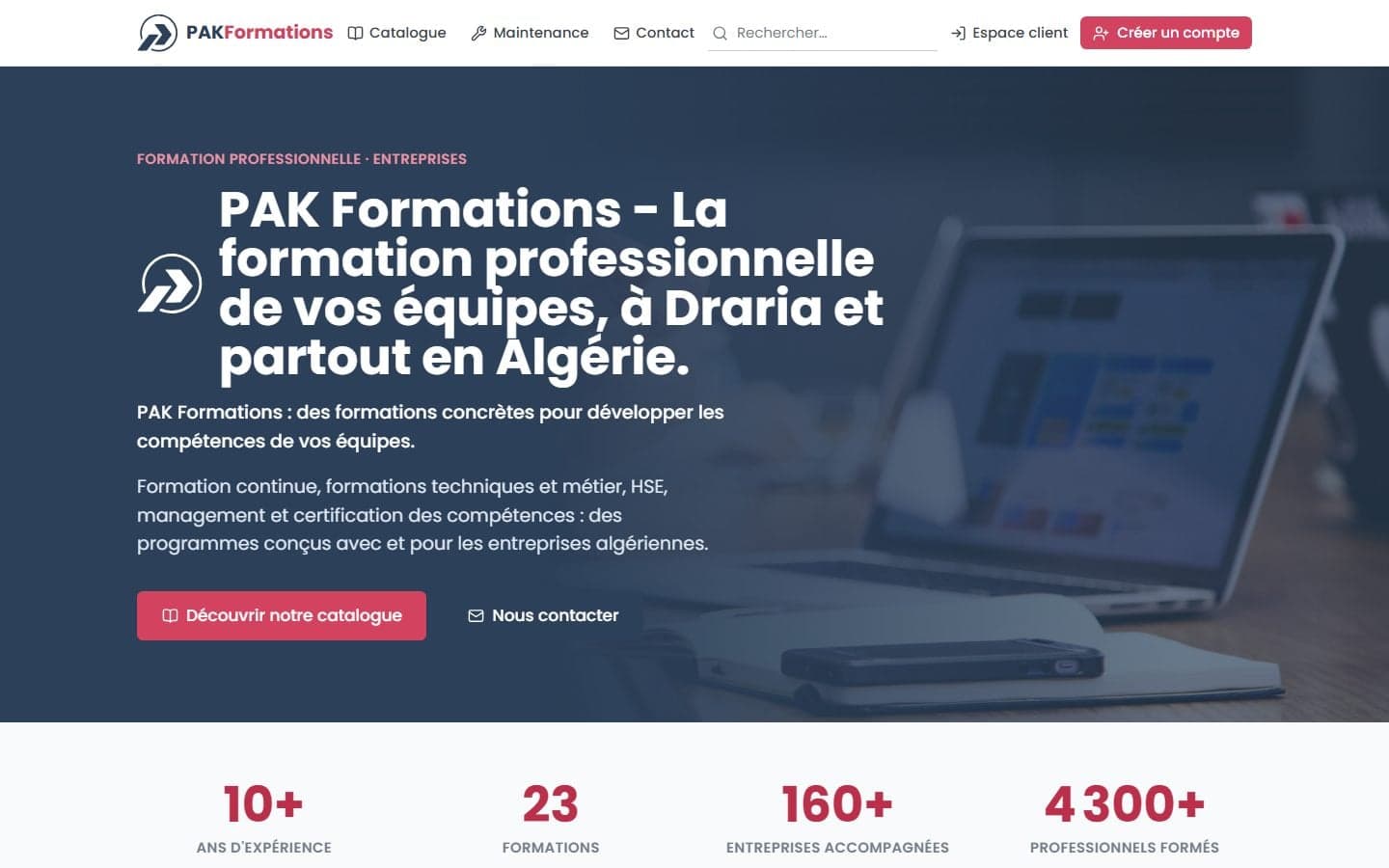
Public site
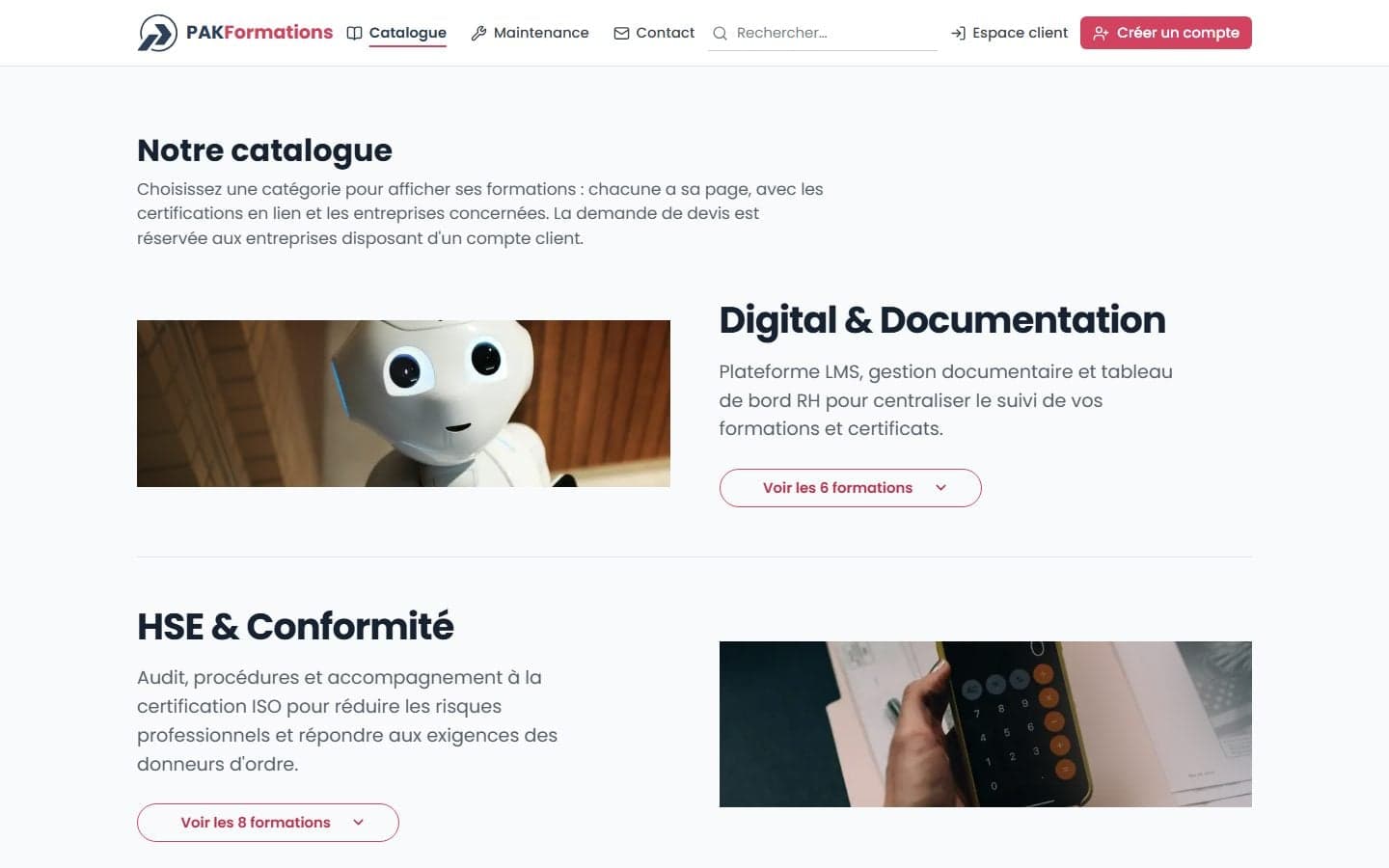
A catalogue readable by HR teams… and by search engines
The public site presents PAK Formations, its figures and its catalogue: each category opens onto its courses, each course has its own page with its objectives, related certifications and target sectors. The detailed programme and the quote request are reserved for registered companies.
- Travel and Maintenance pages shown or hidden depending on whether each division is open.
- Structured data, sitemap and llms.txt kept in step with the catalogue.
Back office
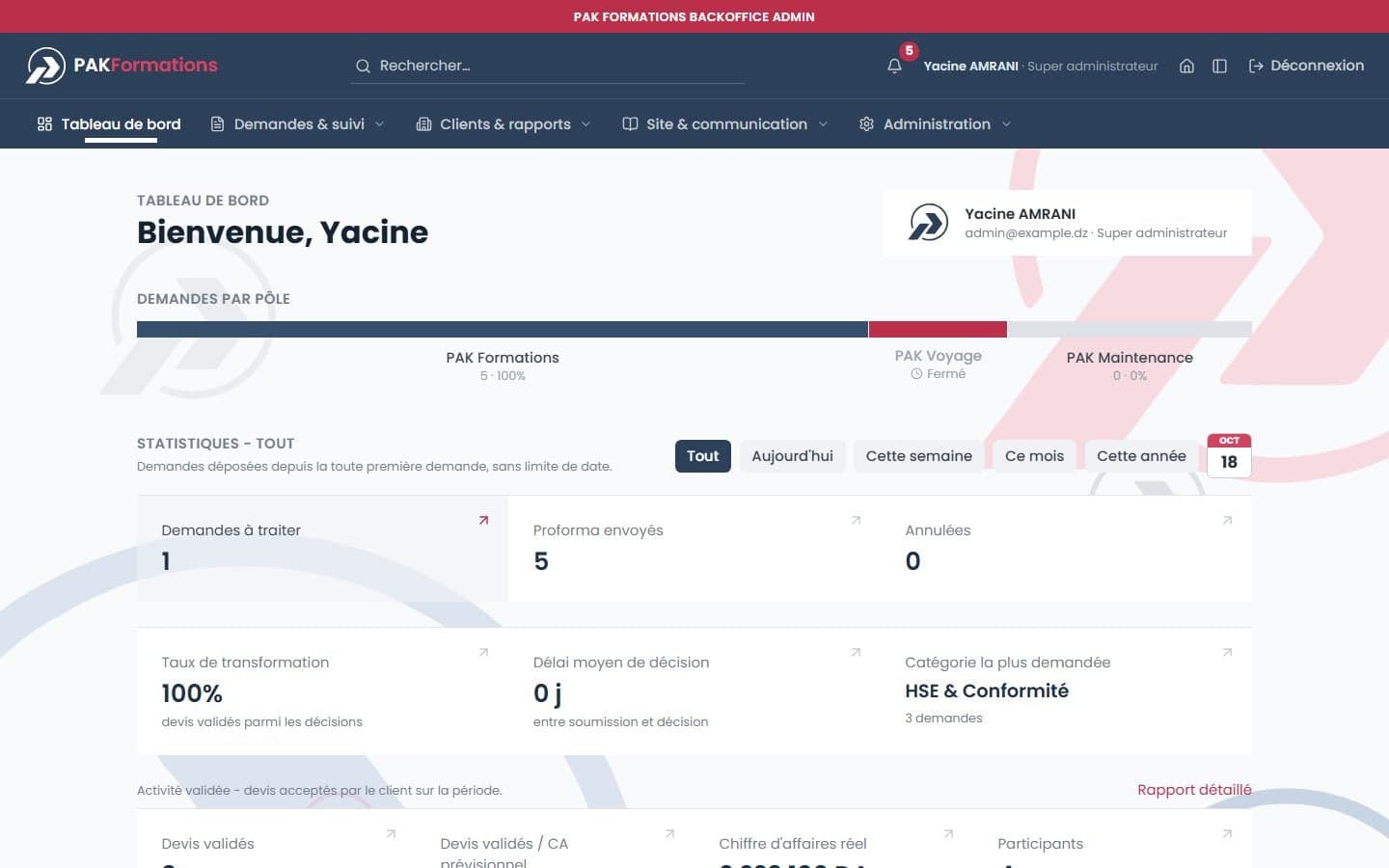
A dashboard where every figure leads somewhere
The dashboard opens on the current week and switches to today, the month, the year or any date. Every figure — requests to handle, proformas sent, conversion rate, actual revenue, participants — opens the list behind it.
- Navigation in four sections, as a sidebar or a top bar, as preferred.
- A global search that finds pages, actions, companies, staff, trainers and suppliers.
Requests & proformas
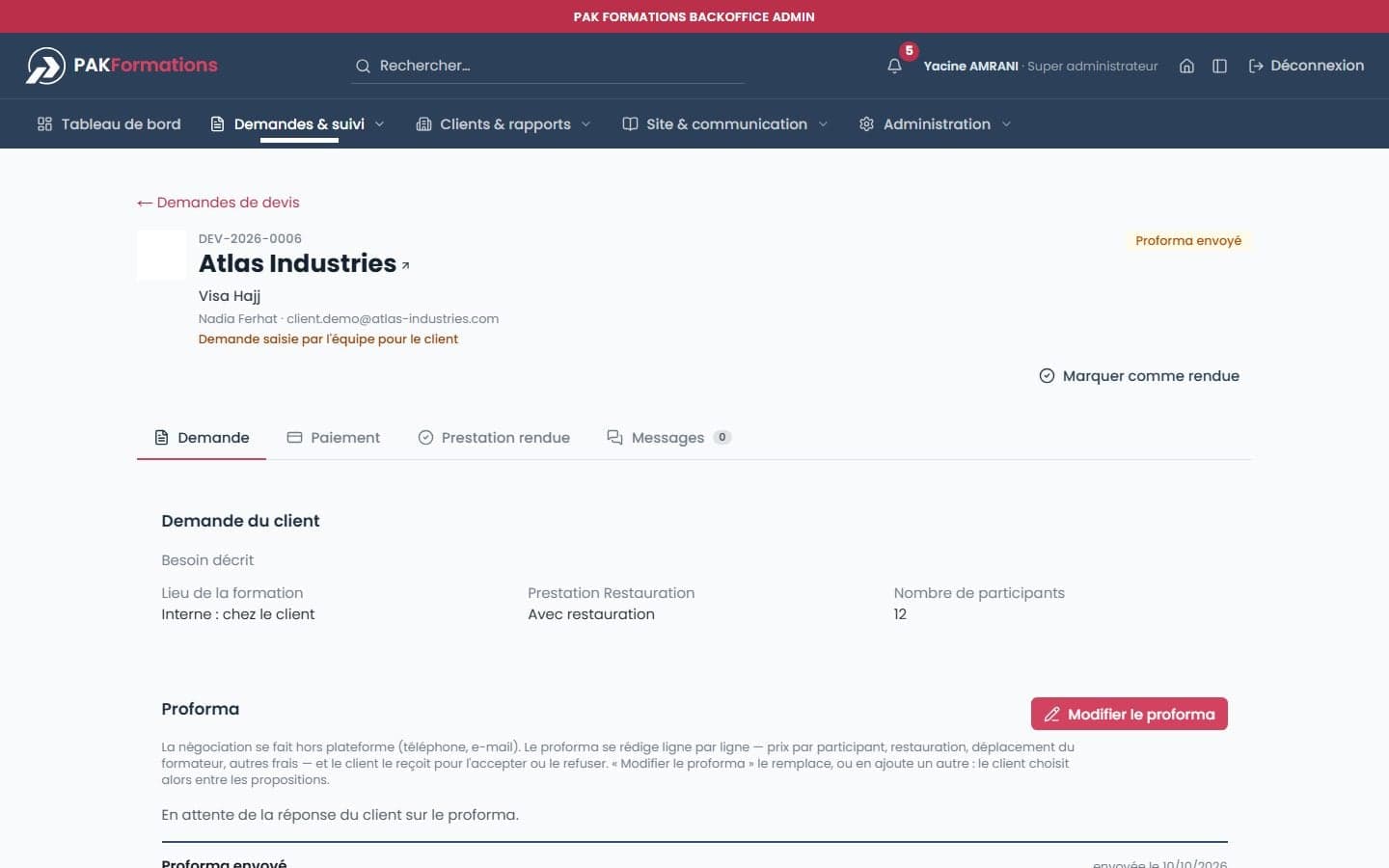
From the client's need to an accepted proforma
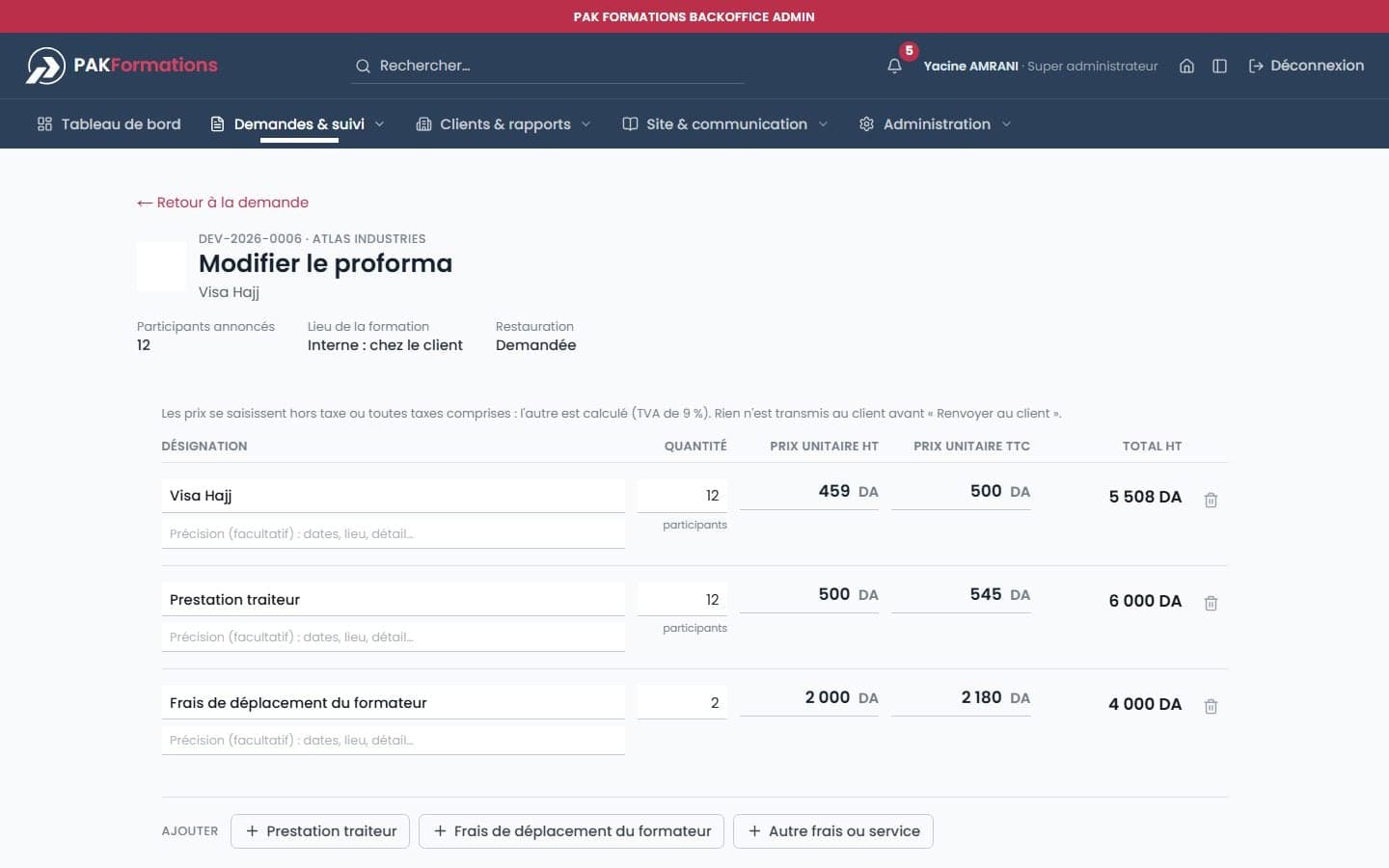
Each request has its page in full-width blocks: the client's request, the proforma, billing, payment, the delivered service and messaging. The proforma is written line by line — unit price before and after tax, trainer costs, catering — and downloads as PDF or Excel.
- A new proforma replaces the one sent, or is offered beside it.
- The client's agreement can be recorded by the team when it arrives off-platform.
Clients, files & payments
The company file and the payment ledger
A company's file brings together its requests, folders, recaps, per-division budget and actual revenue. Folders group several services under a single invoice. The ledger tracks payments in, refunds and charges, with payment numbers, proofs and receipts.
- A payment also shows as a percentage of what it settles.
- A file created by the team is handed over to the client by invitation.
Reports
What was agreed, next to what was collected
Activity reports cross approved quotes, actual revenue, charges and net result, by division, category and service, with trend charts by day, week or month. Everything exports to Excel or PDF.
Attestations
Attestations, without retyping
For each session, the team imports the participant list from the usual Excel model, checks identity documents, then generates, downloads (ZIP) or emails the attestations, numbered in the next series.
Site & communication
Catalogue and site, edited without a developer
The team manages the catalogue — categories, services, each one's own request form, trainers — and edits the site's copy directly on a preview of the public page. Announcements go to the client portal and by email, with mailing lists and a signature.
Administration
Per-division rights and a record of everything
Each team member covers one or more divisions. The super admin decides who can approve a request, a payment proof, an attestation or an ID document, sets the identity printed on documents and the VAT rate, and reads an audit log nobody can edit.
Mobile
Public site and back office, on the phone too
Beyond development
Scoping, documenting, getting found
User stories & permissions
Journeys for the four roles and a permission matrix, with inconsistencies found in the code and decisions left for the client.
API contract
A specification of the FastAPI backend and a contract shared with the frontend, so both sides could be built in parallel.
Art direction
A palette derived from the logo, typography, components and a vectorised logo — with its loading animation — designed to host the group's other brands.
SEO & GEO
Search guidelines for Google and AI assistants: one page per course, FAQ, structured data, llms.txt.
Generated documents
Proformas, payment receipts and attestations as PDF, Excel exports of lists and reports, in the formats the team already used.
Documented architecture
Architecture documentation kept current with every change to routes, the data layer or the design system.
Plateforme B2B | Espace client | Back-office | Devis & proformas | Rapports | Next.js + FastAPI